TL;DR
Modern garage management software centralizes bookings, job cards, inventory, invoicing, and CRM into a single platform, replacing fragmented tools like spreadsheets and WhatsApp. Even a 3–5 bay independent workshop can see ROI in under 60 days through higher bay utilization and reduced admin hours. The global garage management software market was valued at USD 1.2 billion in 2024 and is projected to reach USD 2.5 billion by 2033. This guide provides a step-by-step framework for selecting, implementing, and profiting from the right garage management system for your workshop.
Introduction: Why Garages Are Moving to Software in 2026
Customer expectations have shifted dramatically since 2020. Today's vehicle owners expect online booking, real-time service status updates, contactless payments, and digital communication. Competing with larger dealer networks means independent garages must match this experience—or lose customers to those who can. For garage owners, meeting these expectations is crucial for customer retention, as effective communication and automation help build loyalty and encourage repeat business.
The typical pain points are familiar: paper job cards getting lost, missed phone calls during busy periods, double bookings that frustrate technicians, delayed customer approvals holding up work, and unbilled labor slipping through the cracks. Service advisors often spend up to 4.5 hours per day on administrative tasks that software could handle in minutes. Retaining existing customers is more cost-effective than acquiring new ones, so garage management systems are valuable tools for establishing a steady revenue stream and reducing advertising costs.
Since 2023, more small independent garages and MOT centers have adopted cloud-based management software—not just dealer groups with deep pockets. Garage management software is a specialized business system that manages the operational side of an auto repair shop, service center, or dealership service bay, integrating work order management, appointment scheduling, parts inventory, invoicing, and customer records. Software for garages refers to management platforms that unite operations, finance, and customer communication in one system. This article will show you exactly how to pick, roll out, and profit from the right solution for your workshop. With built-in data insights and business intelligence tools, these systems empower garage owners to make informed decisions that optimize operations and drive growth.
What Is Garage Management Software and How Does It Work?
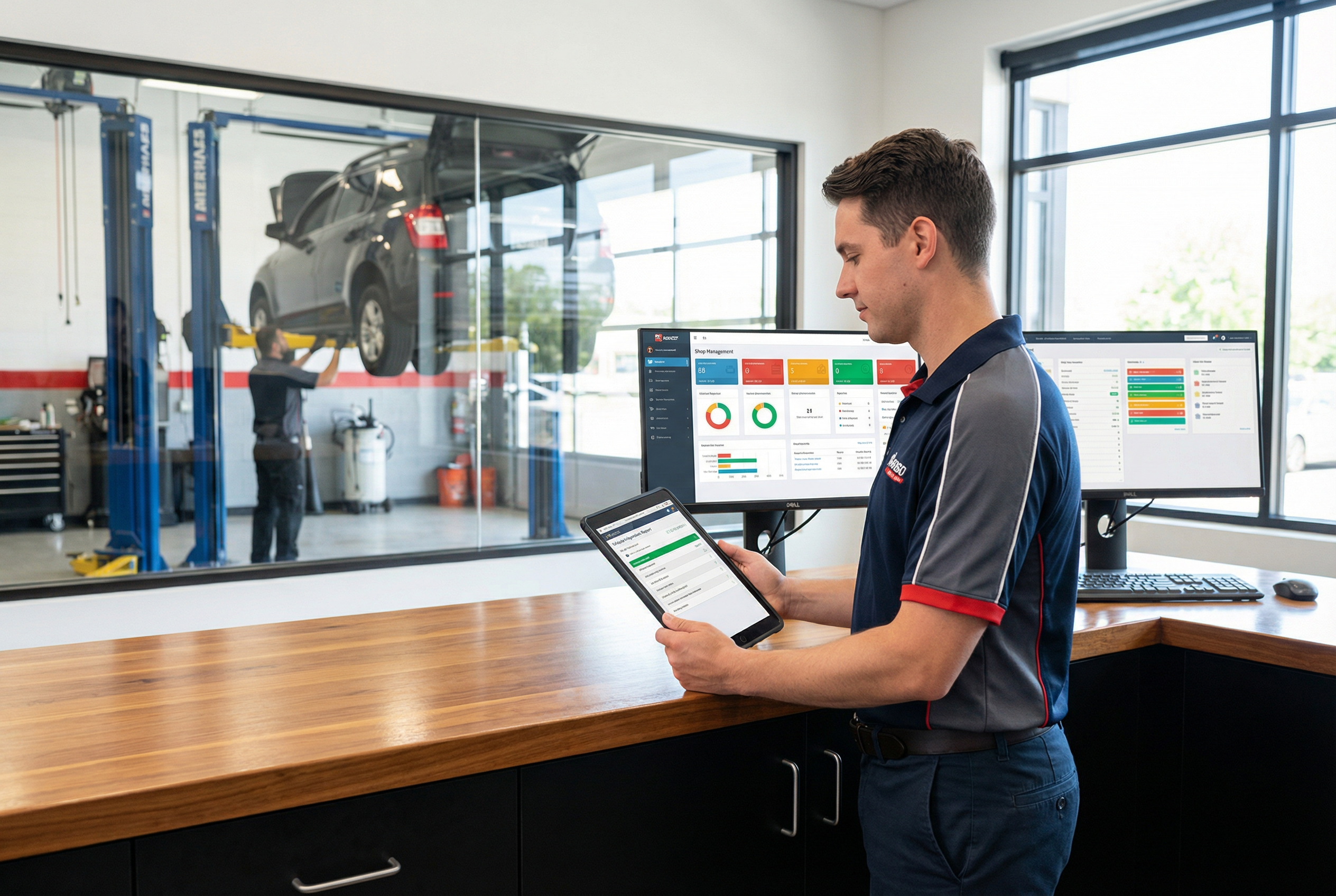
A garage management system, also known as workshop management software, is a platform that handles bookings, repair orders, bay allocation, parts, invoicing, and customer records in one centralized location. It replaces the chaos of spreadsheets, WhatsApp messages, and wall calendars with a shared digital job board visible to everyone who needs it.
Here's how it works in practice:
- Cloud-based SaaS model: Most modern solutions run in the browser and sync to mobile apps in real time, meaning service advisors, technicians, and managers all see the same information instantly.
- Typical job flow: Online booking → customer check-in → digital vehicle inspection with photos → parts allocation → labor tracking → invoice generation → automated service reminders.
- Unified data: Vehicle records, service history, and customer data live in one place, eliminating the need to hunt through filing cabinets or text threads.
- Inventory management: Integration with parts suppliers enables automated reordering, helping prevent stockouts and streamlining inventory processes.
- Real-time tracking: Every update—parts ordered, labor logged, approvals received—appears immediately across all devices, providing real-time visibility into job and inventory status.
Many garages adopt workshop management software for auto repair shops [blocked] to streamline these day-to-day processes and eliminate the manual overhead that holds smaller operations back.
Core Features Every Modern Garage Software Should Include
When evaluating any comprehensive workshop management solution, certain features are non-negotiable in 2026. Here's what to look for:
- Appointment scheduling and bay management: Drag-and-drop calendars with automatic conflict detection prevent double bookings and optimize technician assignments based on job duration and skills.
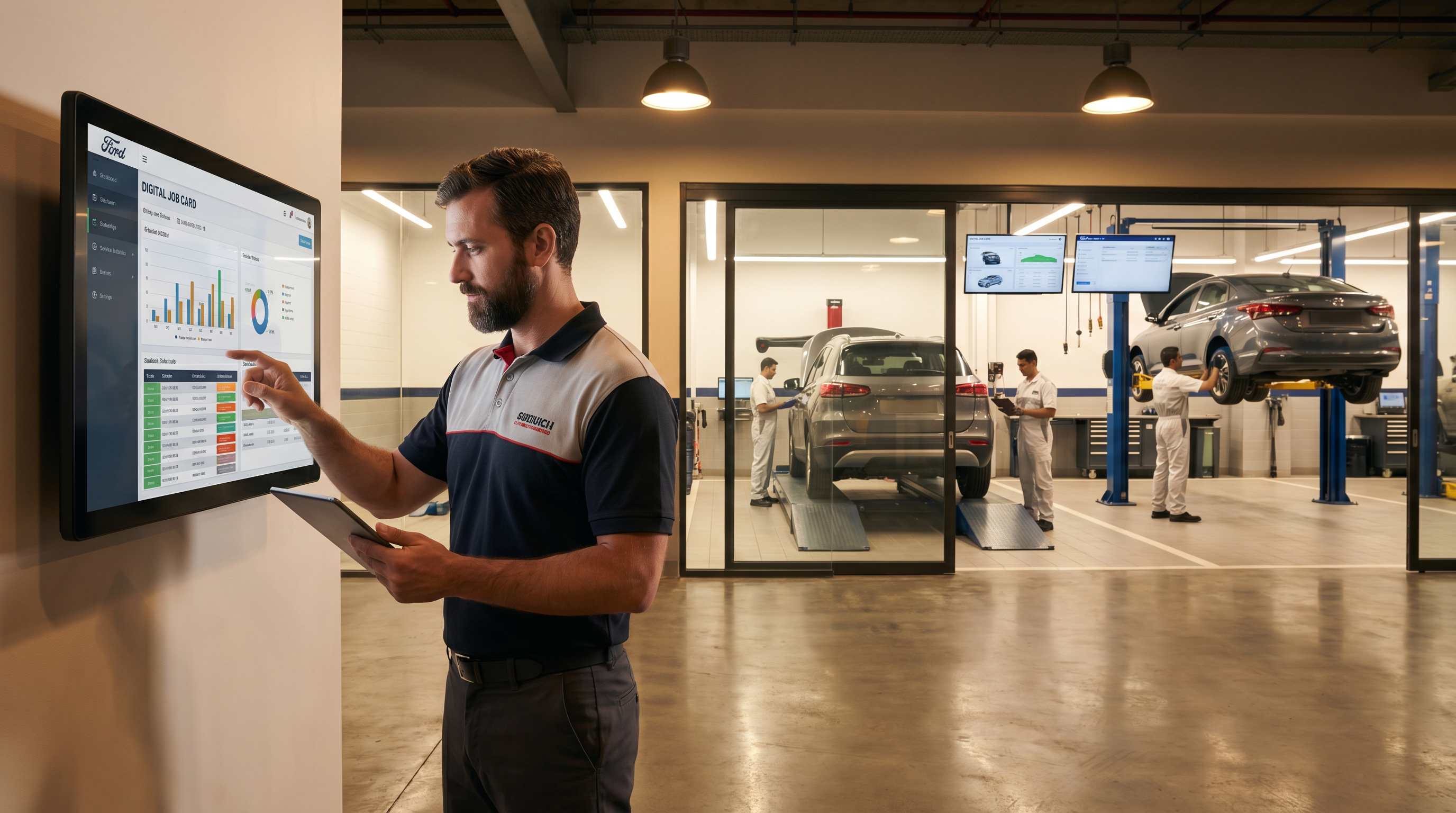
- Digital job cards and work orders: Capture VIN decoding, customer data, complaints, labor lines, and parts used—all linked to vehicle history for easy reference.
- Inventory management with real-time tracking: Monitor stock levels, receive low-stock alerts, and use barcode scanning for accuracy. Supplier integration enables one-click ordering, and automated reordering streamlines restocking and prevents stockouts, with some shops reporting 40% reductions in stockouts.
- Integrated invoicing and payment processing: Generate breakdowns of labor, parts, and taxes. Support for cards, digital wallets, and payment gateways speeds up collections.
- Built-in CRM and customer relationship management: Track service history, send automated reminders for MOT due dates, run seasonal promotions, and automate follow-up messages to keep customers engaged. These features support customer retention and help reduce no-shows through proactive communication and timely reminders.
- Dashboards and reporting: Visualize revenue trends, technician productivity, bay utilization, and first-time-fix rates through an easy-to-use dashboard.
- Mobile access for technicians: Let your team add photos, record videos, capture signatures, clock in/out, and update job status directly from phones or tablets.
- Seamless integration with existing systems: Connect to accounting tools like QuickBooks or Xero, diagnostic tools, and CRM systems to avoid double entry.
Specialized all-in-one platforms for inventory management and customer scheduling are recommended by industry experts and shop owners, and many garages adopt automotive shop management software platforms [blocked] to streamline these day-to-day processes.
AI and Automation: The New Edge in Garage Software
AI features have moved from experimental add-ons to mainstream differentiators between 2024 and 2026. The best platforms now use artificial intelligence to streamline operations in ways that save time and boost revenue.
- AI scheduling: Auto-assigns jobs to technicians by matching their skills, estimated repair times (pulled from VIN analysis), and bay availability. Benchmarks show 25–35% reductions in idle time.
- AI-assisted job cards: Pre-fills customer information, VIN details, and previous repairs to cut front-desk time by 1–2 hours daily.
- Automated customer communication: Generate personalized SMS or email estimates with embedded photos and videos explaining needed repairs. Shops using this feature report 55% faster customer approvals.
- Predictive maintenance suggestions: Analyze mileage, age, and prior work to recommend upsells like timing belt replacements—increasing average repair order value by 15–20% without pushy sales tactics.
- Transparency and control: Good AI features log all decisions clearly and allow human override, addressing concerns about losing control to automation, while also providing data insights that help garage owners make informed decisions about operations and resource allocation.
Types of Garages and Who Benefits Most
Different garage types derive different value from management software. Understanding where your workshop fits helps you shortlist the right vendors and avoid paying for features you won't use. Garage owners of all sizes can benefit from the right workshop management platform, as these solutions are designed to simplify daily tasks, improve efficiency, and address unique operational needs.
The market includes everything from solo mechanics to multi-location groups, and each profile has distinct needs. Map your operation to these categories before evaluating any platform:
- Small independent workshops (1–4 bays): Need online booking portals that reduce missed calls by 40%, simple digital job cards, inventory control, and fast invoicing. Lightweight plans often start at modest monthly fees.
- Specialist shops (tire centers, body shops, detailing): Benefit from service-specific templates, photo-heavy digital vehicle inspection workflows, and media uploads for insurance documentation, especially when paired with focused bodyshop marketing strategies for local growth [blocked].
- Quick lube and oil change operations: Require high-volume check-in/out, standardized service packages, and throughput reporting to maximize shop productivity.
- Mid-sized garages: These businesses, larger than small garages but not yet large enterprises, benefit from scalable and customizable workshop management solutions. Such platforms offer advanced scheduling, inventory control, and real-time visibility, allowing mid-sized garages to streamline operations and adapt as they grow.
- Multi-branch service groups and dealer networks: Need central pricing controls, head-office dashboards for cross-location visibility, and standardized workflows through multi-location support. These larger operations often partner with specialized automotive advertising agencies [blocked] and invest in car dealership video marketing strategies [blocked] to drive higher service lane traffic into their networked workshops.
- Fleet maintenance operations: Benefit from vehicle grouping, recurring service plans, and cost-per-mile reporting to manage multiple locations efficiently.
Real results matter: case studies show a 3-bay indie garage achieving 35% revenue growth post-implementation, while high-volume MOT centers report 50% reductions in no-shows through automated SMS reminders. Similar results are documented where modern automotive shop management software [blocked] centralizes operations, reduces errors, and improves profitability.
Deployment Options, Security, and Data Protection
In 2026, cloud-based SaaS dominates the market—95% of garages choose this model for its automatic updates, multi-device access, and scalability without server costs. However, understanding your options and security requirements protects your business.
- Cloud SaaS: Access via browser and mobile app, with data stored in secure data centers offering 99.99% uptime SLAs. Updates happen automatically. Cloud-based garage management systems provide real-time visibility into job status and parts inventory across multiple locations, enhancing operational efficiency and customer engagement.
- On-premise or hybrid: Some large enterprises or rural garages with poor connectivity still consider these setups, though total cost of ownership runs 2–3x higher.
- Baseline security features: Look for TLS 1.3 encryption in transit, AES-256 encryption at rest, daily automated backups, and SOC 2 compliance.
- Role-based access control: Technicians see only assigned jobs; managers access financials. Audit logs track sensitive actions like price changes and refunds. Multi-factor authentication adds protection.
- Data ownership and migration: Reputable vendors allow full export of customers, vehicles, jobs, and invoices in CSV, XML, or PDF formats. Confirm data migration tools before signing—15–20% of shops switch systems within 3 years.
- Uptime verification: Ask vendors for 12-month uptime history and incident response procedures.
How to Choose the Right Garage Software for Your Workshop
Software selection should be structured, not based solely on flashy demos and headline pricing. The wrong choice wastes months of effort and can cost more in disruption than the subscription itself.
Start by writing a clear list of must-have features (online booking, MOT reminders, mobile DVI) versus nice-to-haves. Involve at least one technician, one service advisor, and the owner or manager in evaluations—different perspectives catch different problems.
Compare total cost of ownership over 3 years, including subscriptions ($50–300/month per bay), setup fees ($1–5k), training time (2–4 days), and hardware like tablets (~$200 each) when you evaluate any garage workshop management software. Then follow this process:
- Shortlist 3–5 vendors from reputable industry lists
- Run live demos using real jobs and real customer examples from your garage
- Check integrations with your existing accounting, payment, diagnostic tools, and parts suppliers to ensure streamlined procurement and inventory management
- Ask for references from similar-sized auto repair shops or similar service types
- Request trial access of at least 14 days to test workflow management in your actual environment
Leverage data insights provided by the software to make informed decisions during the selection process, ensuring the solution aligns with your garage's operational needs and long-term goals.
Implementation Plan: From Paper to Digital Without Disruption
Rolling out workshop software requires planning to minimize disruption. Garages that can't afford downtime need a phased approach that builds confidence gradually, especially when transitioning to feature-rich automotive shop management software platforms [blocked].
- Prepare your data: Clean customer lists, vehicle records, and parts catalogs before importing. Expect to dedupe 10–20% of errors. This step takes 3–5 days but determines success.
- Pilot in one bay: Run the software with one team or bay for 1–2 weeks, refining templates and catching workflow friction before full rollout.
- Parallel operation: Run paper and digital systems simultaneously for 1–2 weeks to build trust and identify gaps.
- Structured training: Conduct role-specific sessions (2–4 hours each) with cheat sheets for each role. Benchmarks show 90% proficiency post-proper training.
- Set 90-day goals: Target measurable improvements like 20% faster check-in, 15% reduction in no-shows, 10% better parts availability accuracy, improved real-time visibility, and increased customer retention.
- Review and adjust: Schedule formal reviews at 30 and 90 days to tweak status codes, report templates, and customer interactions.
Implementing a comprehensive garage management solution delivers measurable improvements across all aspects of auto repair shop operations, with workshops typically seeing positive ROI within the first month.
Measuring ROI: What Success Looks Like After Six Months
ROI isn't just about subscription cost—it's about operational gains and revenue improvements that compound over time. Track these metrics before and after implementation to make data-driven decisions:
| Metric | Pre-Implementation | Post-Implementation Target |
|---|---|---|
| Bay utilization | 60–70% | 85–90% |
| Technician billable hours | Baseline | +20–25% increase |
| Average repair order value | Baseline | +15–20% via AI upsells |
| Admin time (end of day) | ~2 hours | ~30 minutes |
| Same-day payment collection | Variable | ~90% |
| Customer repeat business rate | Baseline | +25% improvement |
Auto repair shops using modern workshop management software report an average 30% increase in revenue through optimized scheduling, reduced no-shows, and improved capacity utilization—gains that can be amplified when paired with specialized digital marketing for auto repair businesses [blocked].
Review these metrics at 3-month and 6-month marks to confirm your comprehensive garage management solution delivers expected returns.
Common Pitfalls and How to Avoid Them
Failed implementations usually stem from people and process issues, not the software itself. Avoiding these common mistakes dramatically improves your chances of success:
- Skipping data cleanup: Importing messy customer records and inaccurate inventory creates problems from day one. Dedicate proper time to preparation.
- Under-training staff: Relying on "learn as you go" slows adoption and creates resistance. Human error increases when people feel unprepared.
- Feature overload: Trying to activate every advanced feature immediately overwhelms small teams. Phase in automation and AI after mastering basics.
- Ignoring mobile workflows: If technicians can't easily capture vehicle inspections and update job status from their phones, they'll fall back to paper notes.
- Failing to integrate with parts suppliers: Without integration, procurement delays and inventory issues can arise, disrupting workflow and efficiency. Robust digital operations also make it easier to benefit from automotive website optimization and GEO-focused SEO [blocked] that drive more of the right customers into your streamlined workflows.
- Lack of real-time visibility: Not having real-time visibility into operations can result in missed opportunities, inefficiencies, and poor coordination, and it also makes it harder to capitalize on local search visibility through Google Business Profiles and SEO [blocked] that send ready-to-book customers to your garage.
- No internal champion: Appoint someone who owns configuration, collects feedback, and liaises with the vendor. Success rates climb to 90% when a dedicated champion manages change management.
FAQ
How long does it typically take a garage to fully adopt new management software?
Small independent garages can usually go live in 1–2 weeks, with another 2–4 weeks to feel fully comfortable with daily operations. Multi-location operations often plan for phased rollouts over 1–3 months to minimize disruption at any single site.
Timelines depend heavily on data preparation quality and training commitment. Shops that rush the preparation phase often struggle longer during actual use.
Do I need new hardware like tablets or can I use existing devices?
Most cloud-based workshop software works on existing PCs, laptops, and modern smartphones via browser or mobile app. You don't need expensive equipment to get started.
That said, low-cost tablets ($150–300) for technicians on the shop floor dramatically improve efficiency—capturing photos, inspections, and signatures directly at the vehicle. Reliable Wi-Fi in the workshop area typically delivers better ROI than high-end hardware.
Can garage software handle MOT and inspection reminders automatically?
Yes, automated reminders are a standard capability. The system stores next-due dates for MOT, services, and major maintenance items per vehicle record.
You can schedule automated SMS or email reminders a set number of days or weeks in advance. Most platforms let you customize timing and message templates to match your brand tone and local regulations, keeping customers informed without manual effort.
What happens to my data if I decide to switch to another system in the future?
Reputable providers allow full export of customer management data, vehicle history, job history, and invoices in standard formats like CSV or PDF. Confirm export tools and any related fees before signing your contract.
Clean, well-structured data from your current system makes future data migration faster and less error-prone if you decide to switch.
Is garage management software still useful for very small shops with only one or two people?
Absolutely. Even single-bay garages benefit from online booking, digital job cards, and faster invoicing—especially when owner-operators are busy on the tools and can't answer every phone call.
Lightweight, affordable plans exist specifically for small businesses and scale as you add bays or staff. Focus on core features first and add advanced modules only when you feel the need. Many solo operators report 40% revenue increases from reminders and streamlined invoicing alone, particularly when they also invest in exclusive mobile mechanic lead generation [blocked] to keep bays consistently booked.